
What does the invitation say, and can I change it?
A short invitation to your community goes out after someone has been commented on for a while. You can read the exact words first.
Updated 15 September 2026
Open Settings, not Outreach
This is why most people can't find it. Everything else about outreach is under Outreach. The invitation is under Settings, in the left-hand list, on the row called Outreach.
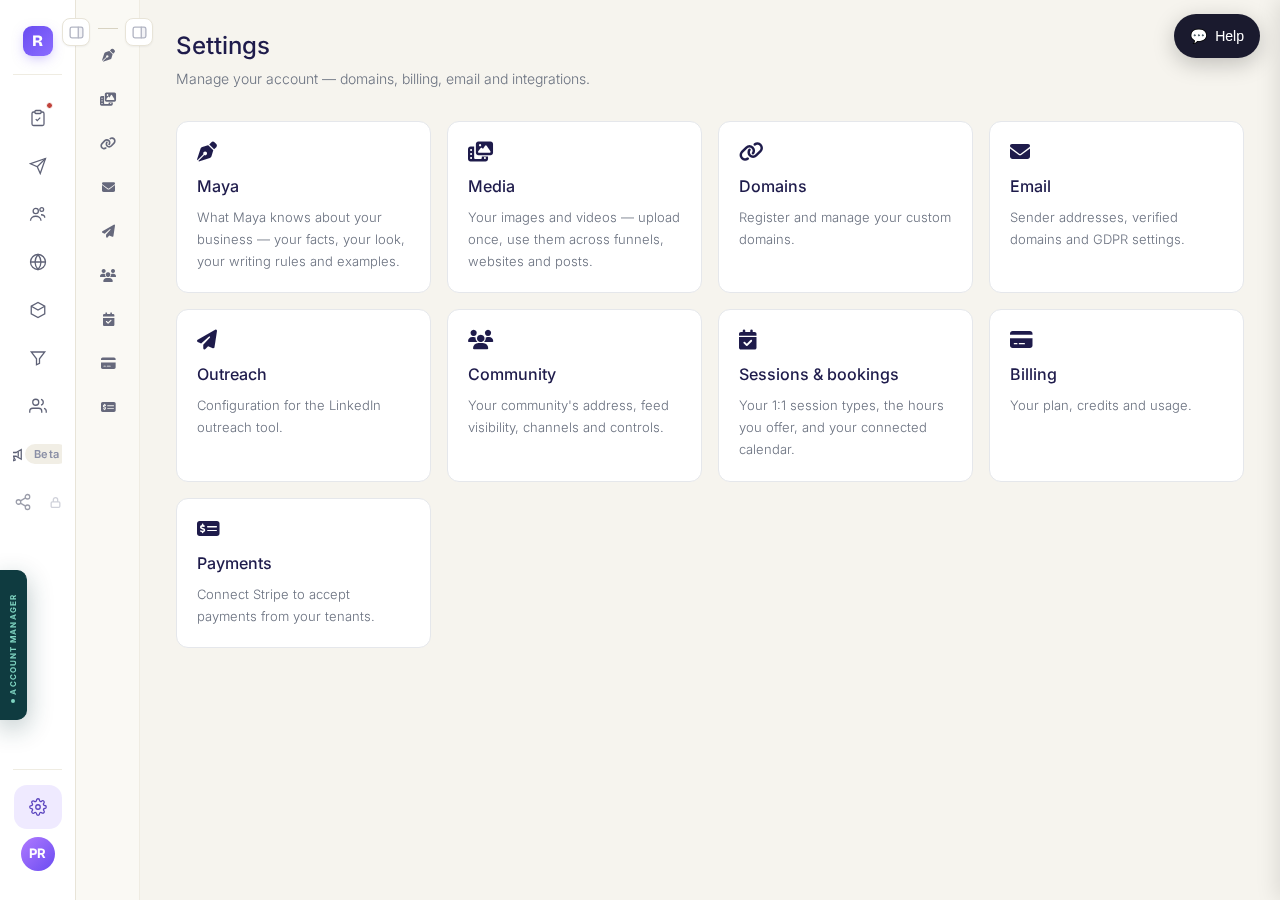
Settings, then the row called Outreach. Two menus deep, and not the Outreach menu.
See what runs on your behalf
The top of this screen lists everything being done for you, with a number against each. Profiles read a day, connection requests sent, how long we engage before inviting.
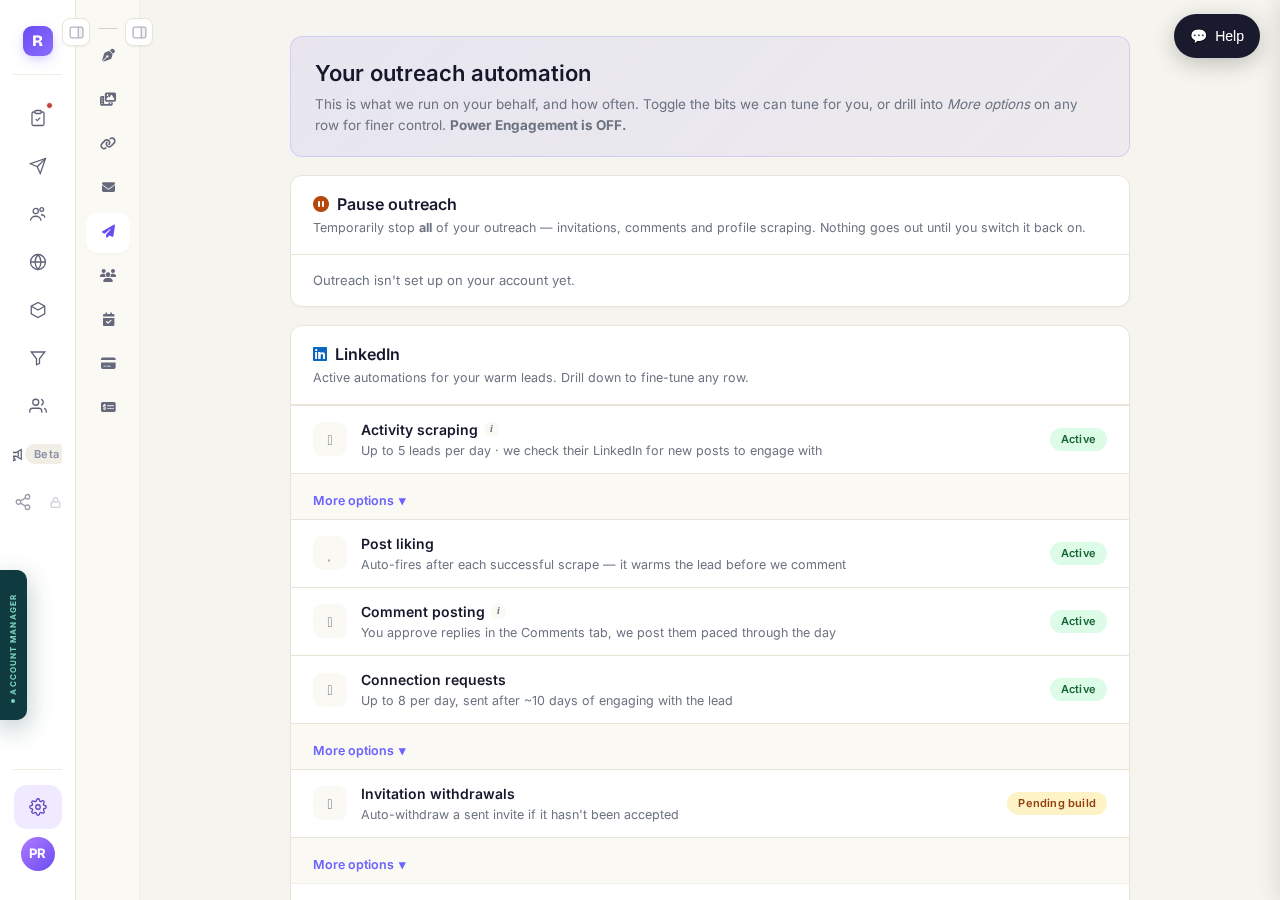
Every automatic action, with its own daily limit.
Read the invitation itself
Community invitation shows the real message, with a stand-in for their first name. It's under 195 characters because LinkedIn won't send longer. There's no box to type in. To change it, reword your community description.
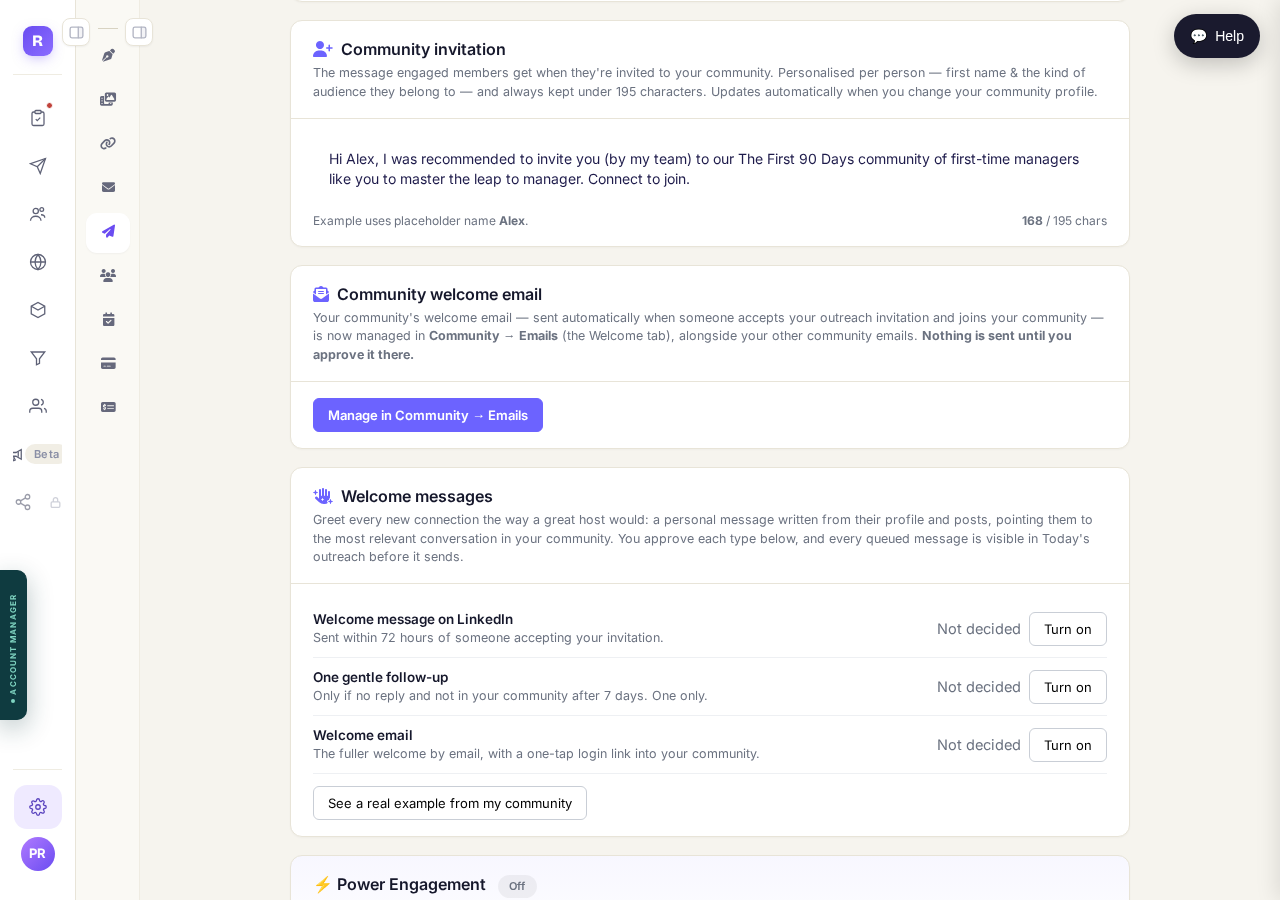
The message they receive, with a stand-in first name. It is written from your community description.
Decide what happens after they accept
Underneath are three follow-ups: a welcome message, a gentle nudge if you hear nothing after seven days, and a welcome email linking into your community. Each reads Not decided until you turn it on.
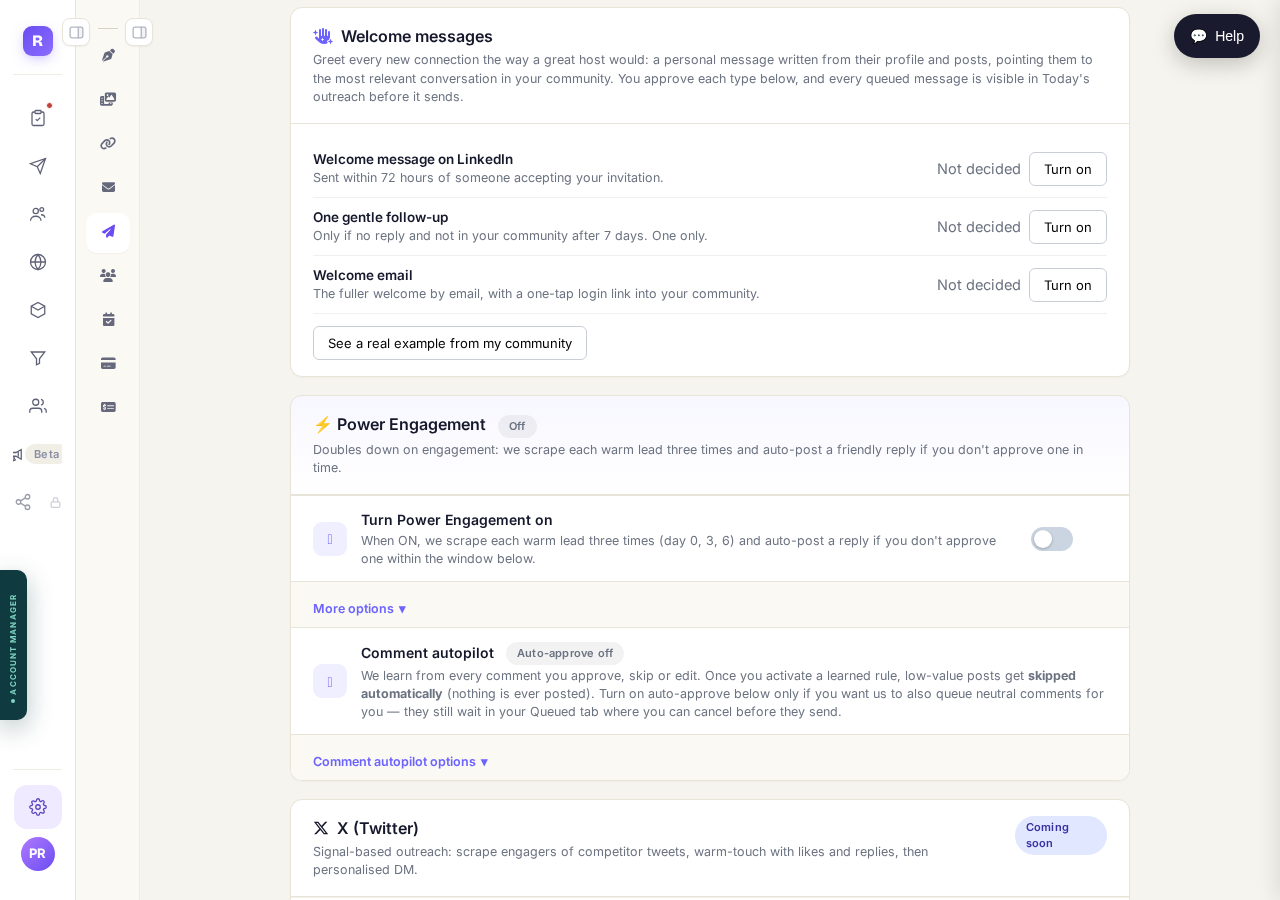
Three follow-ups, each off until you turn it on.
How do I find the right people to reach?
Related articles
Can I use Outreach on Instagram or X?
Not yet. Today Outreach works on LinkedIn only, through your own account. Instagram and X are coming soon, and nothing you set up now is wasted.
How do I check a comment before it goes out?
Comments are written for you, then wait. Nothing is posted in your name until you read it and press Approve. About five minutes a day.
How do I find the right people to reach?
Outreach only finds people through sources you pick: influencers your audience follows, and groups they post in. Ten minutes, once.