
Can I message one member privately, and can members message each other?
Message one member from Community, then Members. Their reply comes back to that screen, not your email. Members messaging each other is a separate setting.
Updated 15 September 2026
Open Members and find their row
Every member has a Message button on their row. Conversations sit above the directory, empty until you write to somebody. Replies land there, not in your inbox.
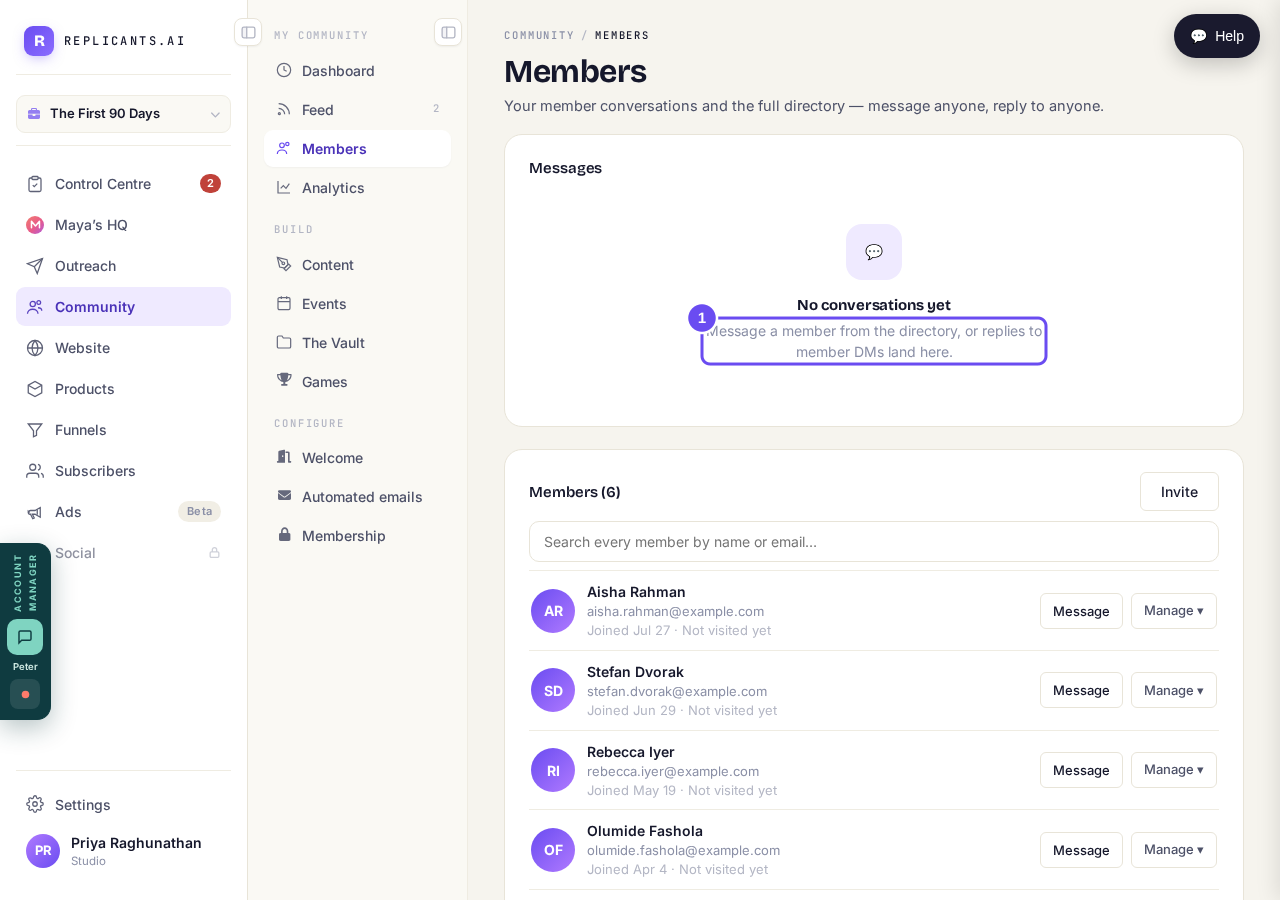
Conversations on top. The directory, with Message, underneath.
Take me therePress Message, type, and press Send
The conversation opens beside the list with a box at the bottom. The line above it says whether they're online, and that they get an email and answer in their own time.
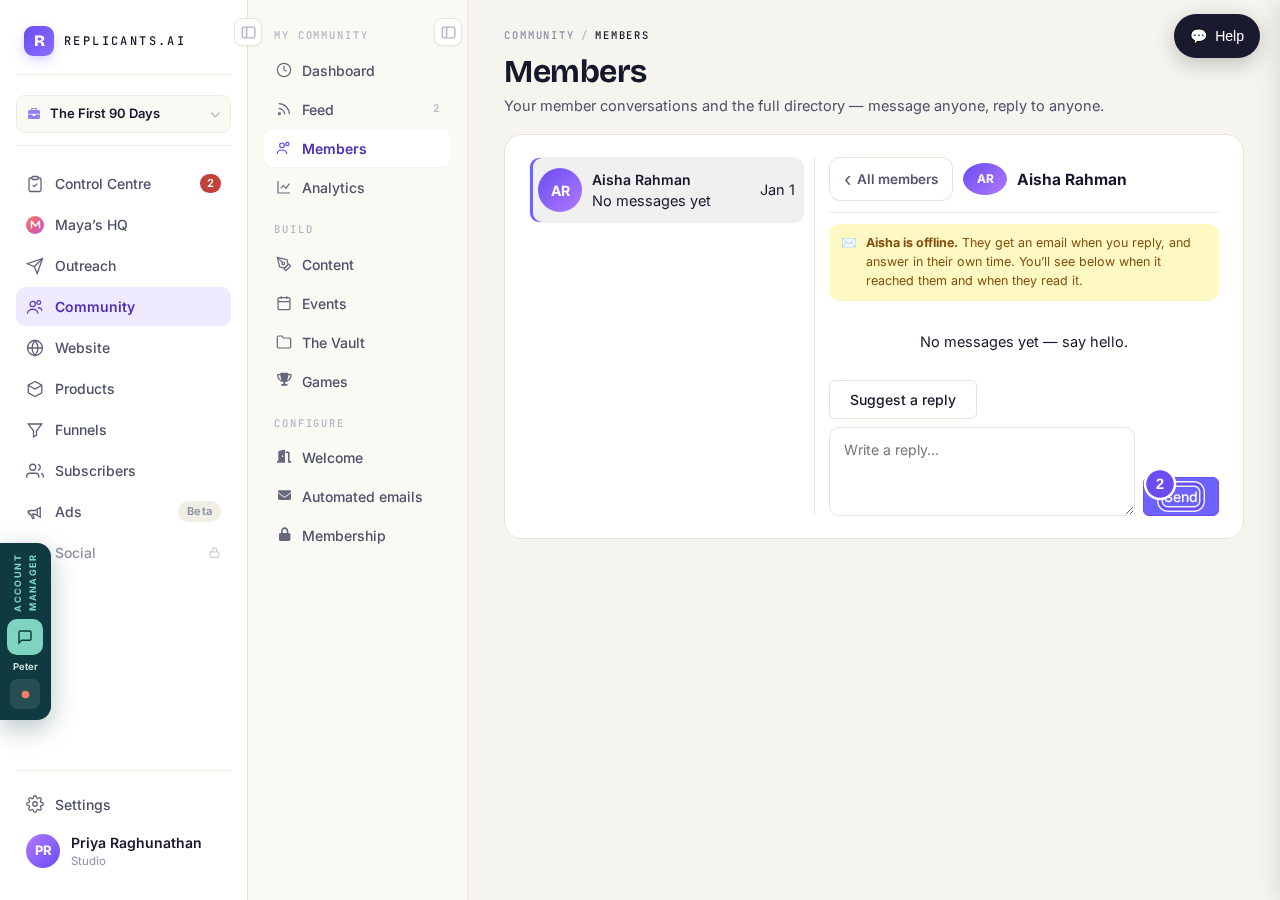
They get an email, and answer in their own time.
Decide whether members can message each other
In Community, then Settings, under a heading called Anti-poaching. On lets members talk to each other privately. Off means only you can message them. Member directory visibility sits beside it.
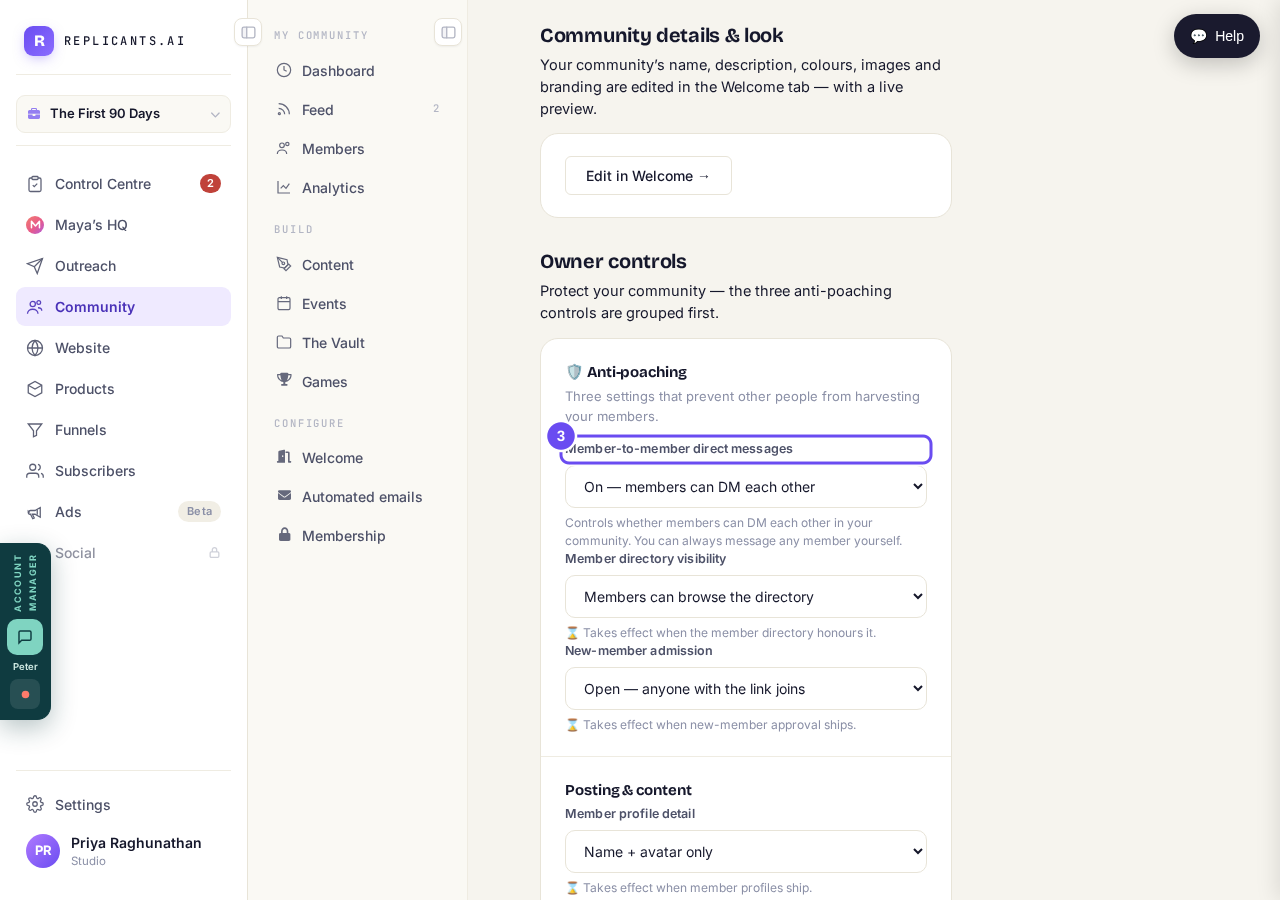
On is a community. Off protects the room. Read the heading.
Take me there
Who can see my community, and can I keep it private?
Related articles
Can I check comments before they go up?
Turn on comment approval and every member comment waits for you. It's a separate switch from the one for posts.
Can I read what members post before it goes up?
Yes — one setting. Off, member posts appear at once. On, nothing appears until you've read it. The waiting ones don't sit in the Feed.
Can I write a post now and have it go out later?
Yes — it's the same composer. The choice sits at the bottom, under When. Events, for live sessions, is a different row and isn't open yet.