
How do I create a new tag?
A tag is a label you put on people so you can find them again. Tags live in Subscribers, under Contacts, in the Groups panel.
Updated 15 September 2026
Find Tags in the Groups panel
Press + New beside Tags, not the one beside Segments — they look identical. A segment gathers people by rule; a tag is a label you put on by hand.
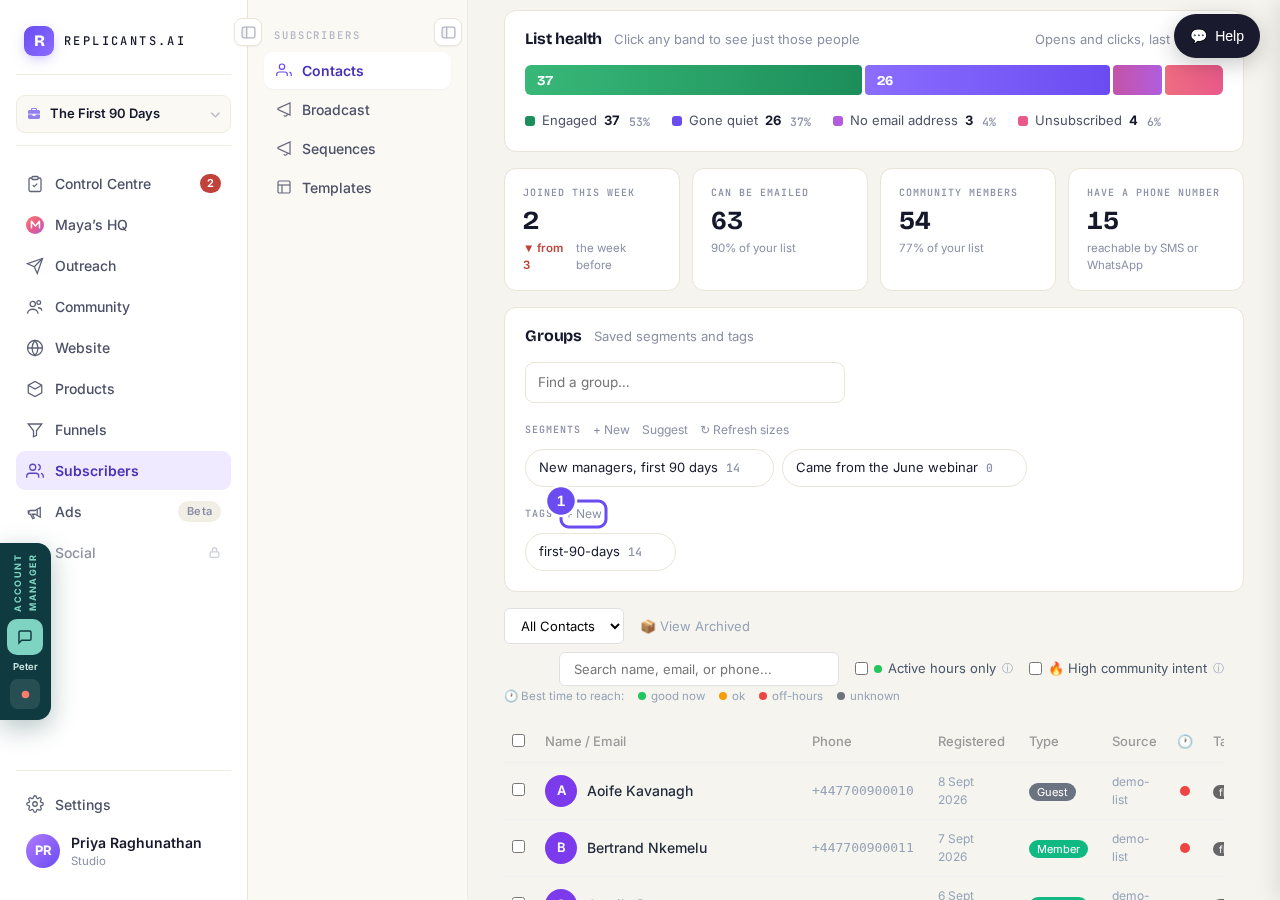
Two lists, two + News. Tags is the lower one.
Take me thereName it, and read the suggestions
Type the name and confirm. Read the suggestions underneath: webinar, June webinar and Webinar Leads are three different tags, and people spread across all three make every list wrong.
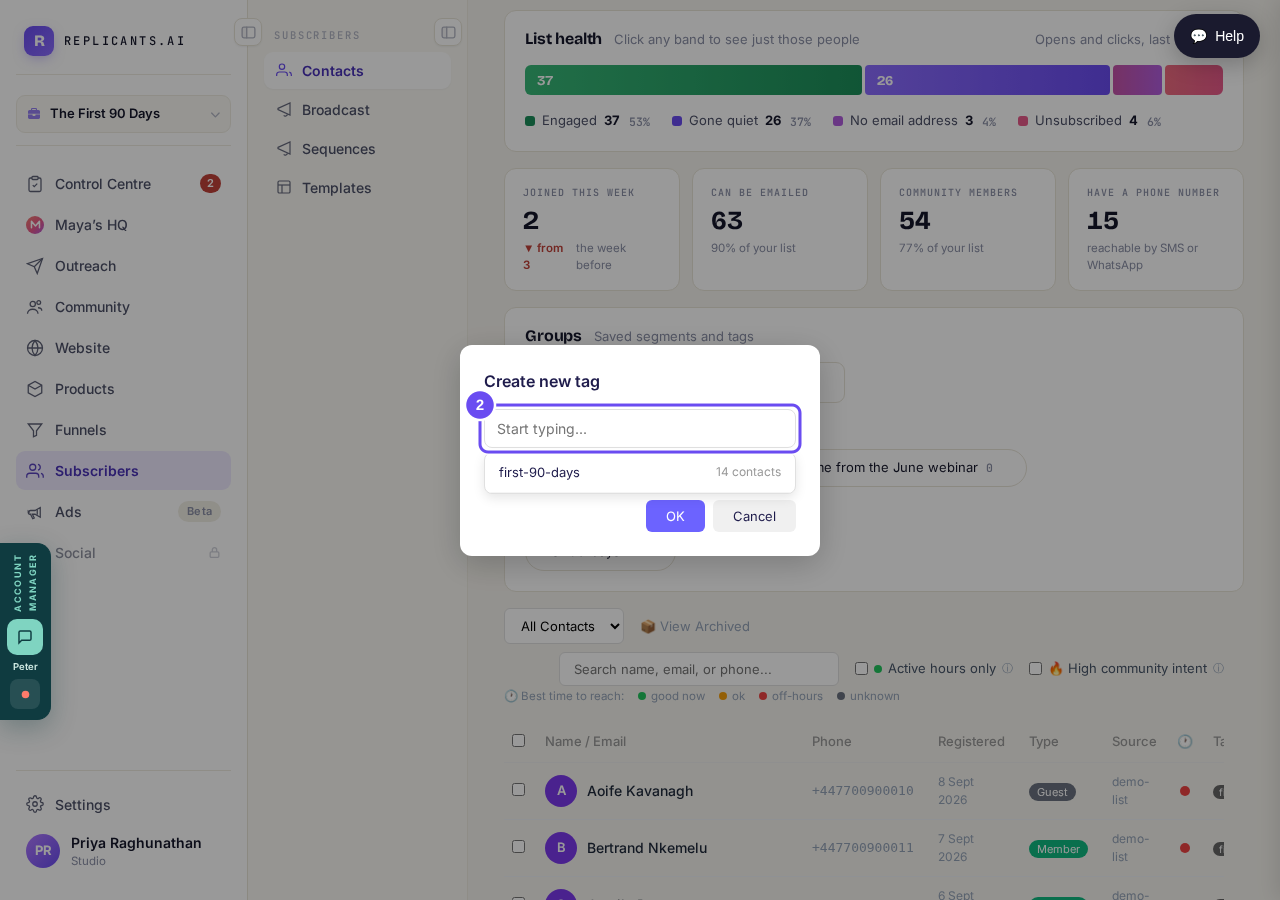
It offers the tags you already have, with counts, as you type.
Tick people first, then press Add Tag
Tick a few names and a bar appears with Archive, Add Tag, Remove Tag, Add to community and Export CSV. Add Tag creates the tag and puts it on everybody you ticked, in one press.
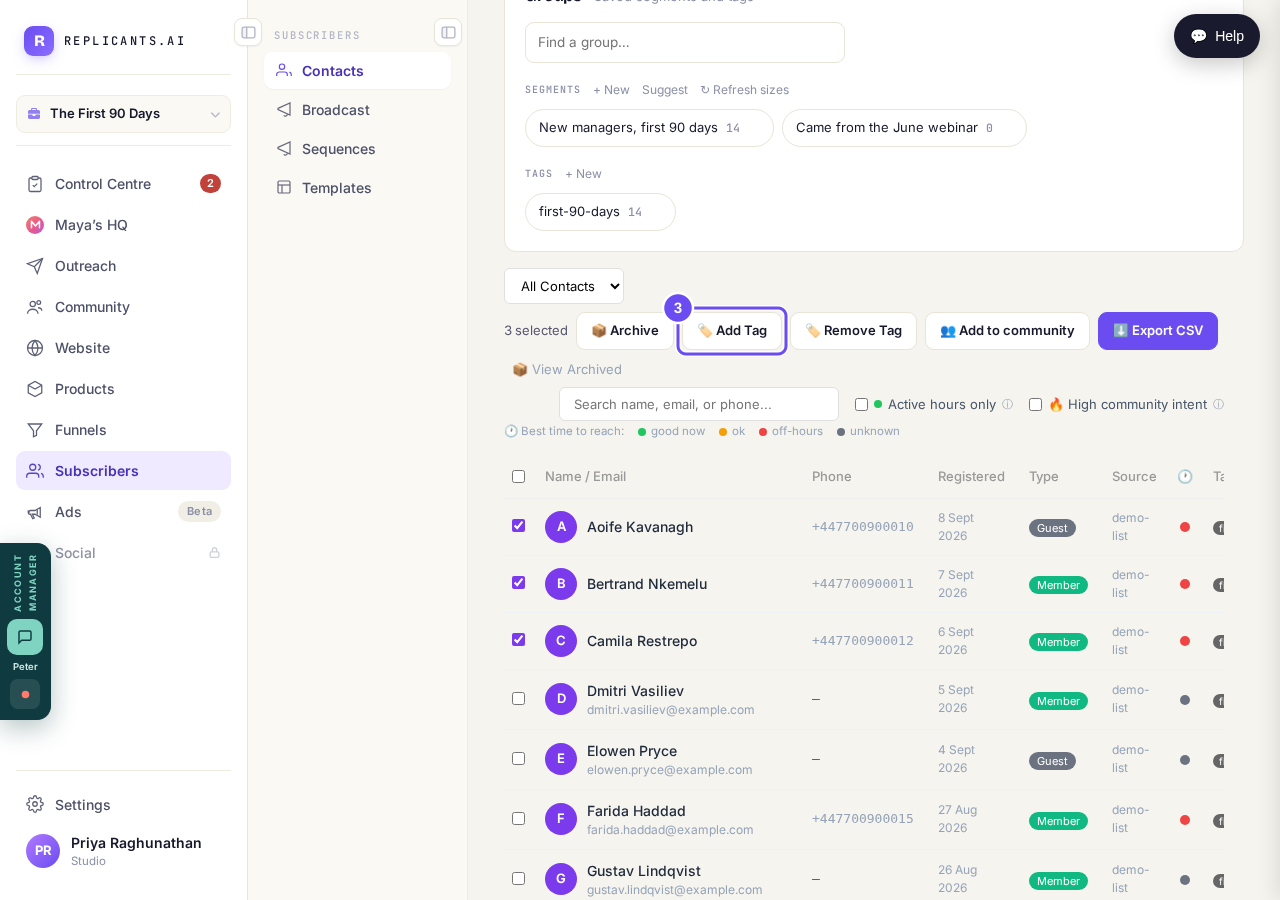
Three selected, and Add Tag beside the count.
Check the count beside your new tag
Back in the Groups panel the tag now shows with a count beside it. Press it to see just those people. The small × beside it removes the tag itself.
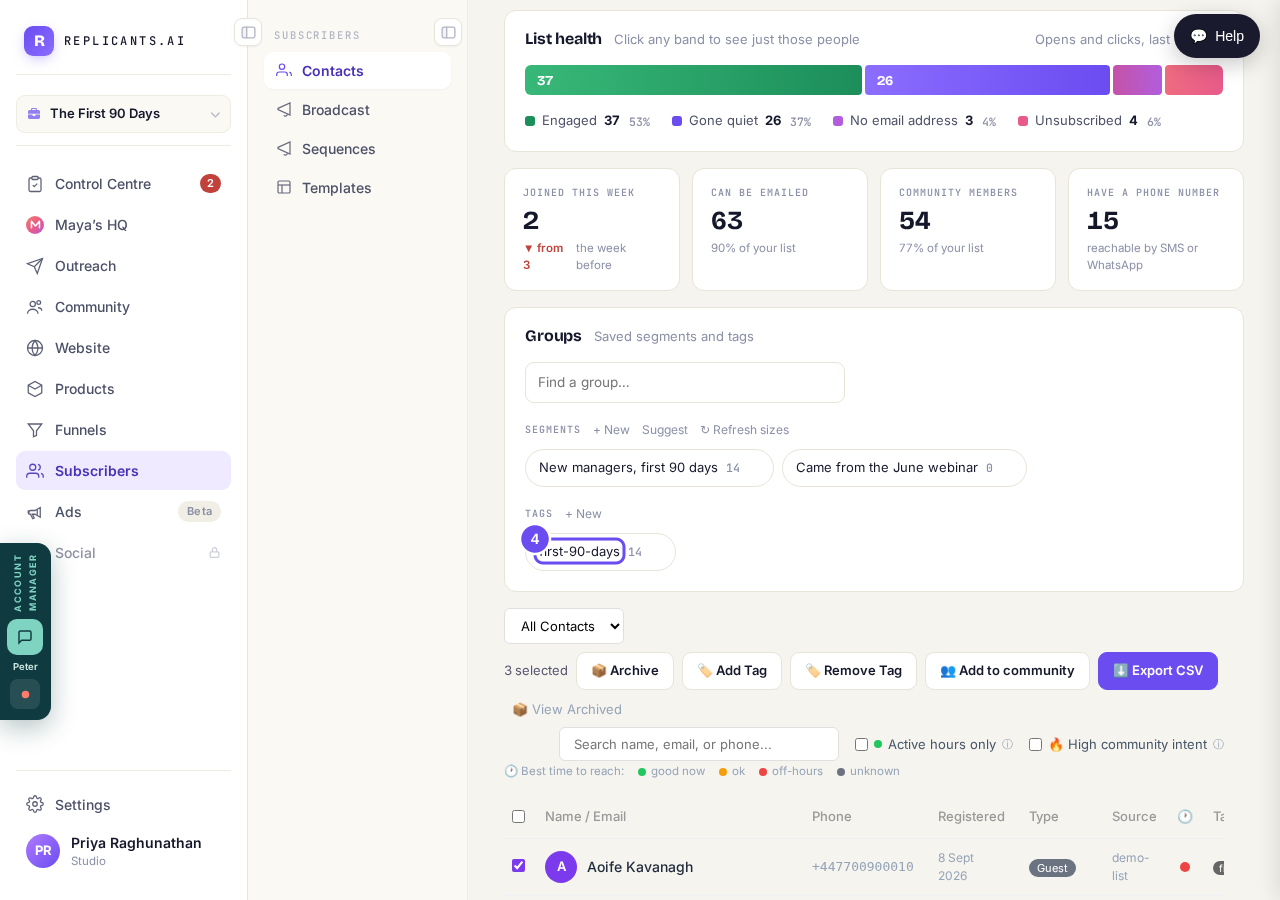
The count beside a tag is the check that it worked.
Take me there
I have my list in a spreadsheet. How do I get it in here?
Related articles
How do I send an email to my whole list?
One email to your whole list, sent now or later. Nothing sends until the last of four steps.
I have my list in a spreadsheet. How do I get it in here?
Upload the file you already have — CSV or Excel. No tidying first: it reads your headings and shows what it decided before anything is saved.